DNS Over HTTPS vs DNS Over TLS: What Actually Separates Them
Technical
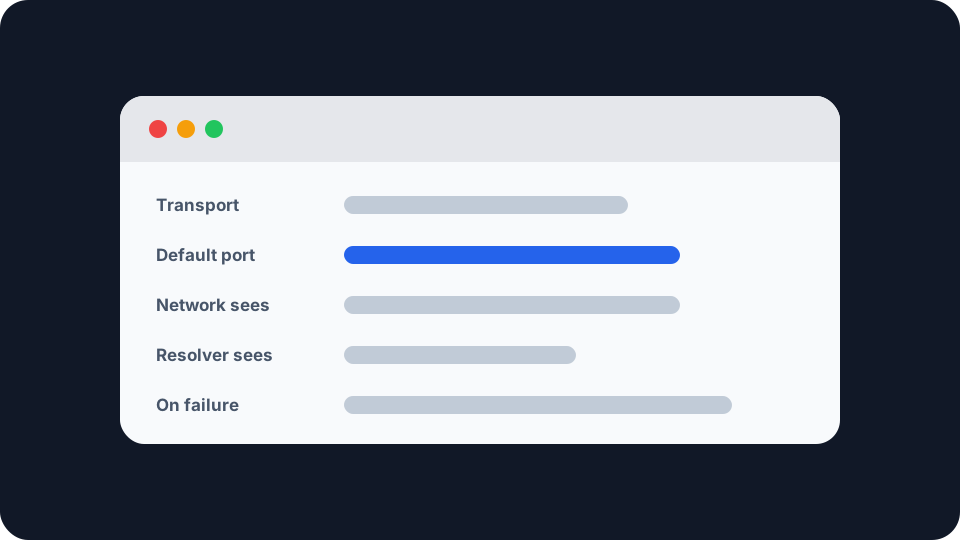
Two ways of doing the same job, standardised two years apart, and almost every argument about them turns out not to be about encryption. Both wrap the questions your device asks a resolver so the network cannot read them. What they do not share is how visible that traffic is to the network you are on, and how much it tells the resolver about you.
What both of them actually do
They cover the same short hop. Before your browser can connect to anything it has to turn a name into an address, and that question has traditionally gone to a resolver in clear text, where anyone on the path can read it. Both protocols wrap that one exchange in TLS so they cannot.
Both are scoped to the same narrow piece of the system. RFC 7858, which specified DNS over TLS in 2016, says it “focuses on securing stub-to-recursive traffic”, and RFC 8484, which specified DNS over HTTPS in 2018, describes the same stub-to-recursive scope. Neither touches what the resolver does next, so if you want the rest of that journey, how DNS actually works follows a single lookup down the tree.
So the encryption is not the interesting part. The difference sits one layer below, in a decision that looks trivial written down.
The difference is a port number
DNS over TLS got its own door. RFC 7858 is explicit: a server supporting it must by default “listen for and accept TCP connections on port 853”, and the same section forbids unencrypted DNS on that port, because “there are significant security issues in mixing protected and unprotected data”. Port 853 carries encrypted DNS and nothing else.
DNS over HTTPS uses the door everything else uses. RFC 8484 maps each query and response onto an ordinary HTTPS exchange, either a GET with the DNS message base64url-encoded into a variable called dns, or a POST carrying the message as its body. It runs over https URIs, so port 443, and it reaches the resolver looking like a web request, because it is one.
Almost everything else people argue about follows from that choice.
What the port choice means for the network you are on
Port 853 is separable, and the specification knew it. RFC 7858 says so in its own introduction: “Deployment will be gradual. Not all servers will support DNS over TLS and the well-known port might be blocked by some firewalls.” A network operator can see DNS over TLS as a distinct category of traffic, so they can block it, and equally, permit it.
Port 443 is not separable without real effort, and that was a design goal. RFC 8484 states the benefit plainly: “the use of the HTTPS default port 443 and the ability to mix DoH traffic with other HTTPS traffic on the same connection can deter unprivileged on-path devices from interfering with DNS operations and make DNS traffic analysis more difficult.”
Read that as written. It is about interference, not only eavesdropping. If your concern is a hotel network rewriting your lookups, or a provider redirecting mistyped domains to a page it sells advertising on, the protocol hiding among web traffic is the one that survives.
The same property is why encrypted DNS became contentious on managed networks. School filters, corporate split-horizon DNS and home parental controls all work by owning the resolver, and a protocol that is hard to distinguish from browsing is hard to police. Neither specification resolves that, and the discomfort shows in later work: RFC 9250, which put DNS on QUIC in 2022, lists as an explicit non-goal that “no attempt is made to evade potential blocking of DoQ traffic by middleboxes”.
What it means for the resolver
Here the ranking inverts, which most coverage skips.
HTTPS brings its whole toolkit along. RFC 8484’s privacy section is direct about the cost: “HTTPS presents new considerations for correlation, such as explicit HTTP cookies and implicit fingerprinting of the unique set and ordering of HTTP request header fields.” It adds that “the User-Agent and Accept-Language request header fields often convey specific information about the client version or locale”. Its own summary of the trade is the sentence worth keeping: the full set of HTTP features “enables DoH to be more than an HTTP tunnel, but it is at the cost of opening up implementations to the full set of privacy considerations of HTTP”.
None of that is compulsory, which is exactly the problem. RFC 9076, the IETF’s summary of DNS privacy considerations, points out that RFC 8484 “specifically makes selection of HTTPS functionality vs. privacy an implementation choice”, so two DoH clients can differ enormously. Its advice to readers stands as written: “Privacy-focused users should be aware of the potential for additional client identifiers in DoH compared to DoT.”
The honest comparison is not that one is private and the other is not. Against the network, DoH gives away less. Against the resolver, DoT carries less by construction, and DoH carries as much as its client chose to send.
Turned on is not the same as working
Both worlds have a fallback setting, and it decides whether any of this holds. RFC 8310 gives the two behaviours their names. A Strict Privacy profile “requires an encrypted connection and successful authentication of the DNS server”, at the stated expense of “providing no DNS service” when it cannot get one. An Opportunistic Privacy profile “will attempt, but does not require, encryption and successful authentication; it therefore provides limited or no mitigation for such attacks but maximizes the chance of DNS service”. RFC 7858 puts the consequence in a line: opportunistic privacy “only provides privacy when there are no on-path active attackers”.
You can see both in shipping software. Android’s Private DNS setting has an automatic mode that upgrades where the resolver supports it, and a mode where you type a hostname. Google’s 2018 announcement of the feature described what the second costs: Android sends all queries over a secure channel to that server, “or marks the network as ‘No internet access’ if it can’t reach the server”. Firefox splits the same way, and Mozilla’s engineering documentation states the difference between its two enabled modes: “when a DoH request fails in TRR-first mode, we then fallback to Do53”, Do53 being ordinary unencrypted DNS.
The setting worth finding is therefore not the one labelled on. It is the one deciding what happens when the encrypted path fails.
Where you set it decides what it covers
A browser setting protects the browser. Everything else on the device keeps using the system resolver: your mail client, the updater, any app doing its own lookups. That is the scope of the setting rather than a flaw in it, but it is routinely misread as device-wide protection.
A system setting covers more, but not everything. Android’s security documentation warns that custom DNS configurations “may allow apps to bypass Android’s built-in transport security for DNS in Android 9 and higher”, and the Private DNS announcement said the same from the other direction: system-level encrypted DNS secures queries from every app, except those doing their own lookups rather than using the system APIs. The two protocols are not divided between platforms either: the same documentation records Android adding DNS over TLS at SDK level 28 and DNS over HTTP/3 at SDK level 30.
What neither of them changes
Both move the observer rather than removing one. Whoever runs the resolver still receives every name you look up, in full, and can identify you as the one connecting. Encrypting the hop decides who is excluded from that list, not who holds it.
And the transport is one channel of three. Your destination IP address is still on the wire, because the network needs it to deliver anything, and the domain inside the TLS handshake is still visible unless Encrypted Client Hello is in play at both ends. What your ISP can actually see covers all three channels and what closes each. This article is only about the first, and only about how it travels.
What you can actually check
Which resolver you are configured to use is visible in your device, router or browser settings. Whether your lookups actually reach it is the harder question.
Our Network Leak Check is a scoped tool and the scope is worth stating. It reports the IPv4 address a site sees, the provider that address belongs to, your approximate location, and whether a routable public IPv6 address is exposed outside a tunnel. It does not tell you which resolver answered your last lookup, and it cannot tell you whether that answer arrived encrypted. What it does catch is traffic taking a path you did not intend, the failure that quietly undoes everything above.
Start with what your connection shows right now, then run the check twice, once on your ordinary setup and once with a tunnel connected. If you use a VPN, confirm it is actually working before assuming its resolver is the one answering.
The summary that survives scrutiny is narrower than the arguments around it. If you want the network you are on to be unable to see or interfere with your lookups, the port is the whole point and DNS over HTTPS wins on it. If you want the least information reaching the resolver you chose, DNS over TLS carries less by design. And if you have left whatever your browser or phone does by default, the useful question is not which of the two you got, but what yours does when the encrypted path fails.