HTTPS Secures the Connection Without Vouching for the Site
Security
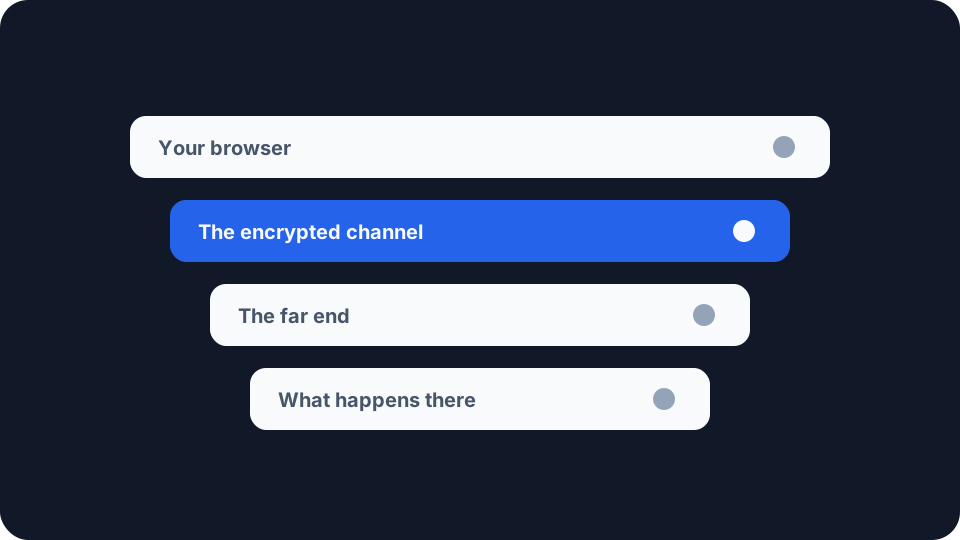
HTTPS makes three specific promises about the connection between your browser and a website. Each one is precise, each one is worth having, and none of them is a statement about the website itself. Knowing where the guarantee ends turns out to be more useful than knowing it exists.
The three promises, as the specification states them
TLS 1.3 is specified in RFC 8446, and it opens by saying what the protocol is for. “The primary goal of TLS is to provide a secure channel between two communicating peers”, it says, before listing the properties that channel should have.
Authentication. “The server side of the channel is always authenticated; the client side is optionally authenticated.” Your browser establishes that whatever answered holds the private key for a certificate covering the name you asked for. The asymmetry is deliberate: the site proves something to you, and you are not required to prove anything back.
Confidentiality. “Data sent over the channel after establishment is only visible to the endpoints.”
Integrity. “Data sent over the channel after establishment cannot be modified by attackers without detection.”
Then the standard it holds itself to, which is not a modest one. Those properties “should be true even in the face of an attacker who has complete control of the network”. That is a demanding bar, and it is worth noticing what it is a bar about: the network, and nobody else.
The endpoints include the website
The confidentiality promise repays a slow read. Data is “only visible to the endpoints”, and a website is an endpoint. Everything you send arrives at the far end readable, because arriving readable is the entire point of sending it.
That covers what you typed, which means the form, the password, the card number and the search box. It also covers what your browser volunteered without being asked: the pages you moved between, the screen and timezone it reports, the fonts installed, what its canvas and WebGL implementations render, and the shape of its own TLS handshake. Our Browser Fingerprint Test reports the device, browser and TLS signals a site can read from your connection, and browser fingerprinting explained covers how those signals get combined into something that recognises you again.
None of that is a shortcoming of HTTPS. It is a boundary. The protocol secures the delivery and holds no opinion about the recipient.
What the certificate actually checked
Publicly trusted certificates are issued against the CA/Browser Forum’s Baseline Requirements, which browsers enforce on the authorities they trust, and which reserve separate policy identifiers for domain-validated and for organization-validated certificates. So the amount of identity checking behind a certificate varies, and the certificate records which kind it is.
The vocabulary of that document is where the useful detail sits. It defines Subject Identity Information as “Information that identifies the Certificate Subject”, and the definition then expressly excludes the domain name from that category. A domain-validated certificate therefore carries none of it. What the authority confirmed was control of the name, which is a real fact and a narrower one than it looks.
Google acted on the consequence. In May 2023 the Chrome security team announced it was retiring the padlock, in Chrome 117, and its reasoning was published rather than implied: “we know that the lock icon does not indicate website trustworthiness”. The post reports that after an earlier redesign, “our research in 2021 showed that only 11% of study participants correctly understood the precise meaning of the lock icon”, and that the confusion carries a cost, because “nearly all phishing sites use HTTPS, and therefore also display the lock icon”. The replacement icon was picked partly because it does not imply trustworthiness.
A site that has just registered a plausible-looking name and obtained a certificate for it satisfies all three promises above. The channel really is authenticated, private and tamper-evident. It is carrying your details to somebody you have no information about.
The promise against tampering
Integrity is the property you notice only when it is missing. Without it, anything sitting between you and a site can change what comes back rather than merely reading it. An injected script, a rewritten download link or a swapped bank account number does not require the attacker to decrypt anything first.
The wording is worth separating from secrecy: data “cannot be modified by attackers without detection”. Your browser does not have to spot the tampering by judgement, because the connection fails instead.
This is the property that earns its keep on a network you do not control, and our guide to public WiFi risks sets out the rest of that picture.
The gap before the guarantee starts
Type a bare hostname and your browser has to choose a scheme before any of this is in force. RFC 6797 gives that problem a name in its security considerations, Bootstrap MITM Vulnerability, and is unusually frank about its own limits: a means of meeting the relevant requirement securely, it says, “is not specifically addressed by this specification”.
HTTP Strict Transport Security lets a site instruct your browser to reach it over HTTPS only. The catch is structural, because the instruction arrives in an HTTPS response, so it protects the visits after the one that delivered it. The document’s suggested mitigations are a browser-maintained preload list, shipped in a manner it compares to the way root certificates are embedded in browsers “at the factory”, and a requirement that user agents prevent users from “clicking through” security warnings. That second one is why a certificate error on some sites offers you no way past it.
What is still visible on the wire
Encrypting the channel leaves the routing intact. A packet has to carry a destination for anything to deliver it, the name-to-address lookup happens before there is a connection to protect, and the site name in the handshake stays readable without Encrypted Client Hello at both ends. RFC 8446 adds a fourth item to that list: “TLS does not hide the length of the data it transmits”, though endpoints are able to pad records to obscure it. What your ISP can actually see takes those channels in turn and covers what closes each.
What is worth checking
Two questions are worth keeping apart: whether the channel is protected, and what you are handing through it.
The first your browser already answers. The site controls in the address bar show the certificate, who issued it and which name it covers, and reading the name on the certificate rather than the text in the page is a check the page itself cannot fake.
The second needs a look from the site’s side of the connection. The Browser Fingerprint Test shows the signals an endpoint can collect once the connection is established, and your visible IP address shows the address and provider a site you visit can attribute you to. Both of those travel inside a perfectly healthy HTTPS connection.
HTTPS answers a question about the road rather than about the destination. The channel is authenticated, private between its two ends and tamper-evident, and breaking any of that costs an attacker real effort. Whether the party at the far end should be given what you are about to send is a separate judgement, and it is the one the lock icon was never able to make for you.