Can Your ISP Tell You Are Using a VPN? What Gives It Away
VPN
Your internet provider can almost certainly tell that you are using a VPN. Not by breaking the encryption, but by reading the parts of the connection that were never encrypted to begin with. The more useful question is what that knowledge is actually worth to them, and the answer is less than most people fear.
The short answer, and why it is nothing clever
A VPN encrypts what you send and hides where you are sending it. It cannot hide that you are sending it somewhere. Every packet still needs an outer address so the network knows where to deliver it, and that outer address is your VPN server. Your provider carries every one of them, because it carries everything that leaves your house.
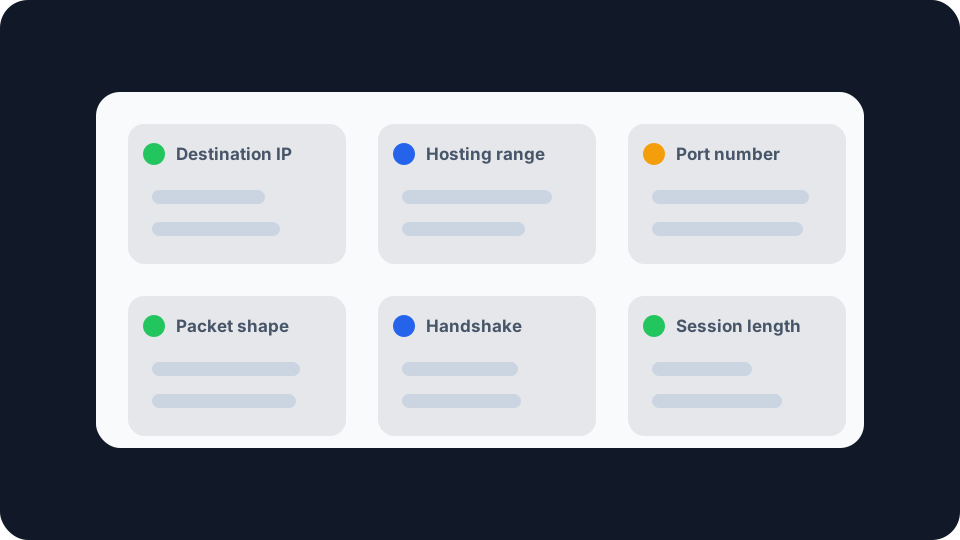
So detection comes down to a much smaller question: does that outer address, and the shape of the traffic going to it, look like a VPN? Almost always, yes.
What your provider sees on an ordinary connection is a separate subject, and we covered it in what your ISP can actually see. This piece is about the narrower thing that changes when you put a tunnel in front of all of it.
The destination address gives it away first
Start with the pattern rather than the packets. Normal browsing produces connections to dozens of unrelated networks in a minute: a news site, its ad exchange, a font host, a messaging app checking in. Turn on a VPN and that fans down to one. A single endpoint, receiving everything, for hours. On its own that is unusual enough to notice.
Then look at who owns the address. Addresses are allocated to organisations in blocks, and the registry record names the holder. Commercial VPN providers rent capacity in data centres, so their addresses sit in hosting ranges rather than in the residential pools your neighbours are using. That distinction is public, cheap to look up in bulk, and whole commercial databases exist to track it. You can see that classification for any address, including the one you are currently borrowing, with the proxy and VPN check.
Worth being precise about what this establishes. It identifies the address as a VPN endpoint. It does not, by itself, identify you as a customer. Your provider does not need it to: they already know which address you connected to and how long you stayed.
Ports and packet shape narrow it further
Beyond the address, the tunnel has a fingerprint, and how loud it is depends on the protocol.
IKEv2 announces itself by port number. IPsec pins its key exchange to well-known UDP ports in the standards themselves. RFC 3947, which defines how it crosses a home router, works entirely in terms of ports 500 and 4500, and RFC 3948 explains that the key exchange and the encrypted payload deliberately share those numbers so that only one NAT mapping and one firewall rule are needed. Convenient for the firewall, and for anyone watching the line.
OpenVPN has an assigned door. Its own manual states that “the current default of 1194 represents the official IANA port number assignment for OpenVPN”, and that UDP is the default transport. A provider can move it, and many run OpenVPN over TCP port 443 for exactly this reason, but the out-of-the-box configuration is labelled.
WireGuard is quieter on ports and louder on rhythm. The wg utility’s own documentation says that if a listen port is not specified, the port is chosen randomly when the interface comes up, so there is no fixed number to watch for. What WireGuard does have is regularity. Every packet travels over UDP, the handshake initiation is a fixed sequence of fields whose first byte is a message type, and the project describes that handshake as one that “occurs every few minutes”. A WireGuard tunnel that is carrying traffic therefore emits the same small, identically shaped packet on a metronome.
None of that is a flaw somebody discovered. WireGuard’s own known limitations page says the protocol “does not focus on obfuscation” and that obfuscation “should happen at a layer above WireGuard”. Being recognisable was traded away deliberately in exchange for a small codebase that is realistic to audit. If you want the fuller comparison, VPN protocols compared covers what each one gives up.
What the tunnel still hides, which is most of it
It would be easy to read all of that as bad news. It is not.
Your provider stops seeing where you go. On an ordinary connection they learn your destinations three ways: from the DNS lookups your device sends them, from the domain named in the opening TLS message, and from the destination address on each packet. Through a tunnel all three of those happen at the far end, inside encryption, out of their reach. What remains on their side is one flow to one endpoint.
The legal category follows the same shape. In the UK, the record that matters is an internet connection record, which the Investigatory Powers Act 2016 defines at section 62(7) as communications data that may be used to identify the service a communication was transmitted to. When you are on a VPN, the service identified is your VPN provider. The record stops at the mouth of the tunnel rather than continuing to every site behind it.
So the honest summary is that your provider trades a detailed log for a coarse one. They gain the knowledge that you use a VPN, which is not very interesting, and lose the knowledge of what you did with it, which is.
What leaks out around the tunnel
That trade only holds for traffic the tunnel actually carries, and there are three common ways for traffic to go around it.
IPv6 taking the direct route. If your connection has a routable IPv6 address and your VPN only captures IPv4, anything reachable over IPv6 leaves without touching the tunnel, and your provider sees those destinations exactly as before.
DNS still going to your router. If your device keeps using the resolver it picked up from your ISP, your lookups keep arriving at your ISP, in the clear, listing every domain you asked about. The tunnel is up and the most revealing channel is still open.
Split tunnelling. The deliberate version of the same thing, and worth checking you have not left it on.
These are the failures that quietly hand back the visibility you turned the VPN on to remove. The Network Leak Check reports your visible IPv4 address, the ISP it is attributed to, your approximate location, and whether a routable public IPv6 address is exposed outside the tunnel. It is a scoped check rather than a full multi-resolver audit, and the page says so, but the IPv6 case it does catch is the one that most often goes unnoticed.
Whether any of it matters
In the UK, and across most of Europe and North America, using a VPN is entirely legal. What your particular provider does with the observation is a question about that company rather than the technology, and nothing in the protocols answers it. Detection matters in narrower situations than the marketing suggests.
Networks that want to block it. Workplaces, schools, hotels and some public WiFi actively refuse VPN traffic, and the cheapest way to do that is by port. Blocking UDP 500 and 4500 stops IKEv2 outright. Blocking 1194 stops the OpenVPN default. WireGuard, having no fixed port, survives that particular block and has to be caught by traffic shape instead, which is more work and rarer.
Places where VPN use is restricted. Where a government controls or licenses VPN use, the enforcement machinery is the detection described above, applied at national scale rather than by a single operator.
Occasional friction that is not your ISP at all. If a streaming service or a bank blocks you while the VPN is on, that is the destination site reacting to the address you are presenting, not your provider reacting to the tunnel. Different party, different signal, different fix.
Making the tunnel harder to spot
Obfuscation exists, and it works by wrapping the tunnel so that it resembles ordinary encrypted web traffic, usually by running it over TCP port 443 where nothing stands out. WireGuard’s authors are explicit that this belongs in a layer above the protocol rather than inside it, and it costs some speed. For most people it solves a problem they do not have. Worth knowing the option is there rather than assuming a default VPN connection is inconspicuous, because it is not. How well that wrapping stands up has been measured in published research, and the results are worth reading before relying on it.
Checking what your own connection shows
You cannot look at your connection from your provider’s side, and no tool will show you it. What you can check is the part that is actually within your control.
Run the comparison first. Note what your connection reports with the VPN off, then connect and check whether your VPN is actually working. Your visible address, the organisation it belongs to and the approximate location should all move. If they do not, traffic is not going through the tunnel at all, and everything above is academic.
Then run the Network Leak Check on the same connection, because a tunnel that carries your web traffic while your DNS and IPv6 slip past it is the most common way this goes wrong. Fix that before worrying about whether your provider can spot the handshake. Being visibly on a VPN is a small cost. Being on one that only half works is a larger one, and it is the one you can do something about.