CGNAT Explained: Why You Share an IP With Strangers
Networking
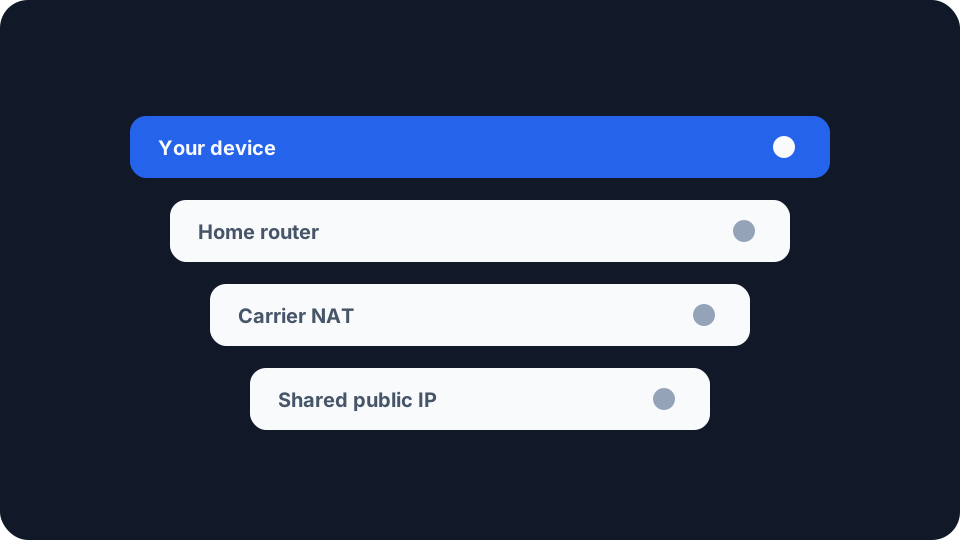
Right now, the public IP address the internet sees when you load a page is probably not yours. It belongs to your provider, and you are sharing it with hundreds of other households, none of whom you will ever meet.
Most people never find out. It surfaces only when something specific stops working, and by then the usual explanations online have sent them somewhere unhelpful.
What CGNAT actually is
Your router already does one round of address translation. Every device in your home has a private address, and the router swaps it for a single public one on the way out. That has been normal for decades.
Carrier-grade NAT adds a second round, upstream, inside your provider’s network. Your router’s public-facing address is no longer public at all. It is another private address, translated again before your traffic reaches the internet, and the address the world sees is shared with everyone else in that pool. If the split between the addresses inside your house and the one outside is new to you, public and private IP addresses covers the layer underneath.
The dedicated range is defined by RFC 6598, published in April 2012, which reserved 100.64.0.0/10 to number the link between a provider’s translation equipment and customer routers. It exists for exactly one job.
Why it needed its own block is quietly interesting. Providers could not reuse the ordinary private ranges, because your home network is almost certainly already using one, and the same address turning up on both sides of your router would break it. RFC 6598 puts the consequence plainly: unless a provider controls the equipment in your home and knows there is no collision, it “cannot safely use [RFC1918] address space and must resort to Shared Address Space”.
A companion standard, RFC 6888, sets out how this equipment should behave, and is refreshingly blunt about the trade-off. Some applications, it says, “may require substantial enhancements, while some others may not function at all”.
Why your provider did this
There are no IPv4 addresses left to hand out. That is not a prediction, it is a series of dates. The global free pool ran dry on 3 February 2011, and the regional registries emptied one by one over the following decade, North America’s on 24 September 2015 and Africa’s in January 2020.
Since then an address is something a provider buys rather than requests, and roughly 33 million changed hands during 2025. What they cost is harder to state honestly, because registries record transfers without recording prices. The brokers who publish their own deals, and who have an interest in the number, put it around twenty dollars to buy an address or forty cents a month to lease one.
That is the whole economics of it. A dedicated address is a cost your provider avoids by handing you a shared one, which makes this a business decision rather than a technical necessity. Some providers still decline to make it: Andrews and Arnold, a British ISP, sells consumer broadband with a static address and states plainly that it runs no CGNAT.
What it actually breaks, and what it does not
The clearest evidence comes from RFC 7021, where engineers from several cable operators ran real applications through real carrier-grade equipment and wrote down what happened. Its named products date from 2010 and 2011, but the mechanisms have not changed.
Anything that needs to reach you fails. Port forwarding is the headline casualty, and the cruel part is that your router’s port-forwarding page still looks like it works. It dutifully forwards traffic from an address the internet cannot route to. Hosting a game server, a website or a media server from home stops being possible in the ordinary way. RFC 7021 found transfers to servers inside the home failed outright, and worked the moment the carrier equipment was bypassed.
Static addressing is gone, and with it the usual point of dynamic DNS. Your hostname resolves to the shared address, which does not route back to your house.
Peer-to-peer is halved rather than broken. RFC 7021 found BitTorrent leeching passed in every configuration while seeding failed. You can download; other people cannot reach you to begin with.
Gaming is where the folklore is worst. In testing, ordinary console and PC gaming passed. What failed was narrow: two people behind the same provider equipment trying to connect directly on the same port. Modern games mostly cope, because a compliant carrier NAT must preserve the behaviour hole-punching relies on and because most games route through dedicated servers anyway. The residual problem is specific, chiefly a console reporting a strict NAT type and limiting who you can be matched with. No console manufacturer’s documentation names carrier-grade NAT as the cause, so treat that as mechanism rather than official guidance.
Almost everything else is untouched. RFC 7021’s summary is that “basic services such as email and web browsing worked normally and as expected”. Streaming passed. Video calls passed. VPN connections passed, which is worth saying plainly because the opposite is widely claimed. The pattern is simple: anything your device starts works fine, because outbound translation is what NAT has always done well. What you lose is the ability to be contacted first.
The proxy myth, and what really happens
Search for this and you will be told carrier-grade NAT is why sites accuse you of using a VPN. That is the wrong explanation, and the right one is more interesting.
Being behind it does not get your address classified as a proxy. Digital Element, which builds the classification databases sites actually buy, states that shared addresses and network address translation “are standard features of residential ISP networks and do not cause proxy classification on their own”. The structure of the industry backs that up: neither MaxMind’s anonymous-IP database nor IP2Location’s proxy database has a category for carrier-grade NAT, because it is not treated as a signal. If your connection is being challenged, the reasons an address gets flagged as a proxy lie elsewhere, and usually closer to home than your provider.
What it does cause is inherited reputation, and that is measurable. Cloudflare published measurements in October 2025 where two numbers tell the whole story. The median rate of bot-like traffic from shared carrier addresses is 4.8%, against 4.7% for ordinary ones, so it is not more suspicious. Yet those same addresses are rate limited three times as often. The penalty is collateral, not diagnostic. You are not being mistaken for a robot. You are being counted alongside several hundred neighbours, one of whom is having a bad day.
The IETF called this in 2011. RFC 6269 warned that a server seeing too many requests from one address may put it in a penalty box “or it may require completion of a CAPTCHA”, and noted the obvious consequence of sharing: “one user who fails a number of login attempts may block out other users”. That is why the captchas feel arbitrary. They are not about you.
What you can actually do about it
First, find out whether you are behind it at all. Open your router’s admin page, read its WAN or internet address, and compare that against the public address a website reports for you. If they match, you have a public address and none of this applies. If the router shows something in 100.64.0.0/10, you are behind carrier-grade NAT with no ambiguity, because nothing else uses that range.
If the router shows an ordinary private address instead, such as one beginning 10., be careful. Some providers use private space this way, but so does a second router of your own between you and the line. Check for two boxes in the chain before concluding anything.
Ask your provider, and expect to pay. Where a public address is offered at all it is usually a paid extra, often only on business tariffs, which given what addresses now cost is at least honest. Fixed wireless, 5G home broadband and satellite are the hardest cases, and several do not offer one.
Check whether you already have IPv6, because it may solve the problem for free. There is no scarcity in IPv6 and therefore no carrier-grade NAT, so where your provider offers it your devices become reachable again, with your firewall deciding what gets through rather than an accident of accounting. Google measured IPv6 reaching half its users for the first time in April 2026. The catch is that the far end needs it too, which is why IPv6 adoption matters more than it sounds.
If you only need to reach your own devices, stop fighting it. Relay and tunnel services work by having both ends make outbound connections, which is exactly what carrier-grade NAT leaves alone. That is why they have become the standard answer rather than a workaround.
Checking your own connection
Your IP address page shows the public address currently attributed to you and the provider behind it. Compare it against your router’s WAN address and you have your answer in a minute.
The port checker is the sharper test, because it tries to reach your address from outside rather than describing it. If you have forwarded a port and it still reports closed, you are looking at the exact failure this article describes, and no amount of router configuration will change it.
If captchas brought you here, how your connection looks to fraud detection will tell you whether your address carries any flags. On most shared connections it comes back clean, and that clean result is the useful one: the friction is your neighbours rather than you.