Why Your Connection Gets Flagged as a VPN or Proxy
Networking
You are sitting at home on your own broadband. No VPN, no proxy, nothing unusual. And a website has just told you to turn off your VPN before it will let you in.
It is a strange accusation to argue with, because there is nothing to turn off. Worse, the usual explanation people find online is wrong, which sends them chasing a fix that was never going to work.
What “flagged” actually means
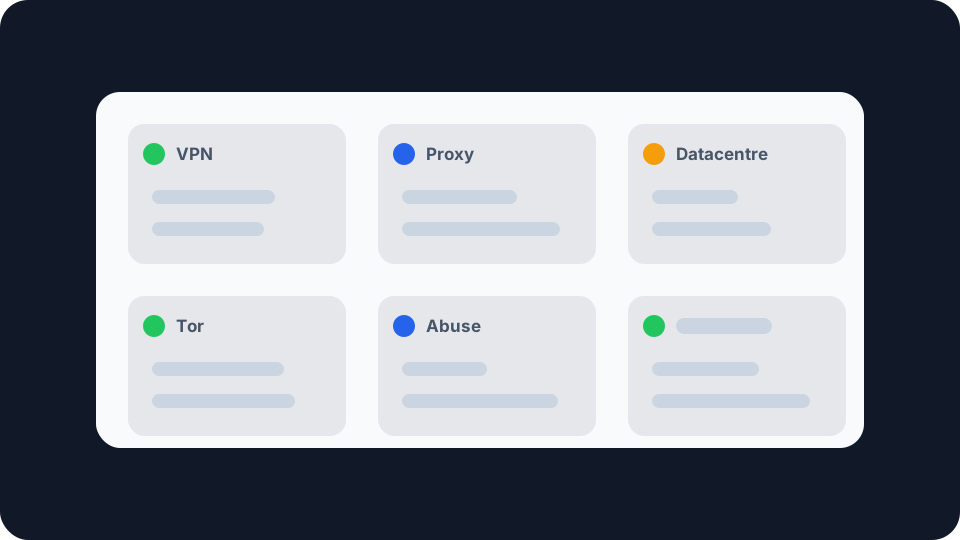
No website looks at your connection directly. What it does is look up your public IP address in a commercial reputation database, and those databases label every address they know about with a set of flags: is this a known VPN exit node, a proxy, a datacentre address, a Tor relay, has it been reported for abuse.
The site then makes a policy decision based on those labels. A bank might add a verification step. A streaming service might refuse to play. A shop might quietly fail your checkout. A forum might just show you another captcha, then another one.
Two things follow from that. The flag is attached to the address, not to you, and it can be attached long before the address was ever assigned to you. You inherited it.
The explanation that is usually wrong
Search for this problem and you will be told, repeatedly, that the cause is your ISP putting thousands of customers behind one shared public address. Carrier-grade NAT, mostly, which is genuinely widespread and genuinely means you share an address with strangers.
It sounds convincing. It is mostly not what is happening. Digital Element, one of the companies that actually builds these classification databases, is direct about it: shared IPs and network address translation are standard features of residential ISP networks and do not, on their own, cause proxy classification. Their systems expect a residential address to be shared. That is what residential looks like.
This matters because it changes what you should do. If sharing an address were the cause, nothing short of a static IP would help. It usually is not the cause, and the real causes are often things you can act on.
What actually gets an address flagged
Relay software running on somebody’s device, possibly yours. This is the big one, and it is the least known. A number of free VPNs, browser extensions and mobile apps quietly enrol the device they are installed on into a peer-to-peer relay network. Once that happens, other people’s traffic is routed through that household’s connection and exits the internet under its public address. From the outside, an ordinary home connection suddenly appears to be carrying traffic from strangers in other countries, which is precisely the behaviour a residential proxy looks like, because it now is one. The household usually has no idea. If your address is shared with other subscribers, one neighbour installing something like this can be enough.
A datacentre or hosting range. Addresses belonging to cloud providers, VPS hosts and server farms are classified as non-residential by default, and many sites treat non-residential as suspicious on principle. This catches anyone using a cloud desktop, some business connections, and a few mobile operators whose ranges are registered oddly.
Genuine VPN and proxy exit nodes. If you are using a VPN, the address is a VPN address and will be flagged as one. That is not a malfunction, it is the database being correct. The difference between providers is how quickly their new ranges get catalogued and how aggressively sites act on the label.
Tor. Exit relay addresses are published openly, so blocking them is trivial and common.
Abuse history. If the address has previously been used for spam, credential stuffing, scraping or fraud, it carries that reputation. Dynamic addresses get recycled between customers, so the offender may have handed their lease back months before you got it.
Behavioural instability. Classifiers also watch how an address behaves over time. An address that appears to jump between countries, or whose connection pattern keeps changing shape, gets treated as proxy-like even without a specific listing.
Why it is worth fixing rather than tolerating
The visible symptom is annoyance: endless captchas, a streaming service refusing to play, a checkout that fails without saying why.
The invisible symptom is worse. Some sites do not challenge a flagged connection, they silently downgrade it. Lower trust scores, more manual review, transactions declined without explanation. You never see a message telling you why, so there is nothing to appeal, and there is no reason to connect it to your IP address at all.
What you can actually do
Find out what is running on your network. Given how much of this traces back to relay software, this is the first move, not the last. Audit free VPN apps, browser extensions offering free access to something, and any app that promised a service in exchange for “sharing your connection”. Check every device, including the ones nobody thinks about, and be particularly suspicious of anything installed on a household member’s phone.
Restart your router, and see whether the address changes. On a dynamic address a long enough disconnection often gets you a fresh lease, and a fresh address with clean history. Whether this works depends on your ISP, so check your address before and after rather than assuming. If your address is static, this will do nothing, and knowing which you have is worth five minutes.
Ask your ISP to reassign it. Rarely offered, occasionally granted, and worth asking about if the problem is persistent and you can describe it precisely. Being able to say “my address is being classified as a datacentre range” gets a better response than “the internet is broken”.
If you use a VPN, expect the flag and choose accordingly. You cannot use a VPN and be unflagged, but you can pick a provider whose addresses are less aggressively blocked, and some offer a dedicated address used only by you. Switching servers within the same provider often clears a specific block. It is worth understanding how a VPN differs from a proxy before assuming one causes fewer problems than the other.
Give reputation databases time. They do update, and a clean address gradually stops being treated as suspicious. This is slow, measured in weeks, and there is no button that speeds it up. Be wary of any service that claims otherwise.
None of this is guaranteed to work. Reputation data is commercial, opaque, and different sites buy from different vendors, which is why one site challenges you and another does not.
Checking what your connection looks like
Before changing anything, it is worth seeing what sites actually see. Our Proxy and VPN Check reads your connection the way a fraud detection system would and shows you five separate signals: whether the address is classified as a VPN, as a proxy, as a datacentre or hosting range, as a Tor relay, and whether it has abuse history against it. Five clean results and your address is not the problem, so the cause lies somewhere else. Any one of them flagged tells you which conversation to have.
It also helps to know your visible IP address before and after any change, so you can tell whether a router restart actually gave you a new lease or just the same one back. And if the address looks fine but sites still place you in the wrong country, that is a different problem with a different cause, covered in why your IP location is wrong.
For an address other than your own, whether a server you run or one that has appeared in your logs, our IP lookup will give you its ISP, network owner and registered location.