Changing Your DNS Resolver: New Answers, Same Visible Address
How-To
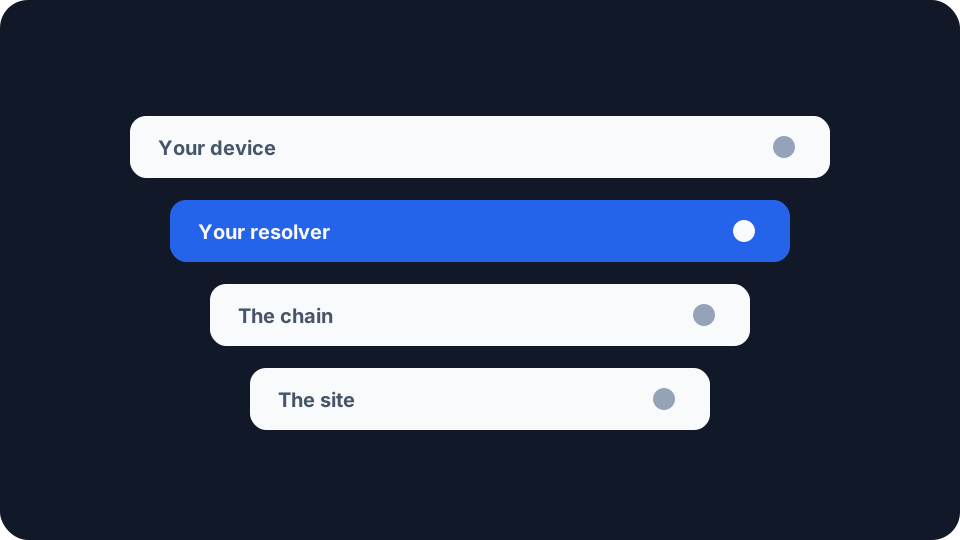
Changing which DNS resolver your device uses is one settings field, and what it does is narrower and stranger than it looks. It moves who receives your questions, and it moves who decides the answers. It leaves alone several of the things people change it for.
How you ended up with the one you have
Most people never picked it. When a device joins a network it asks for its configuration, and the reply includes which resolver to use. RFC 2132, from 1997, defines option 6, which “specifies a list of … name servers available to the client”, and adds that servers “SHOULD be listed in order of preference”.
On a home connection that list reaches you from your router, which took it from your provider. RFC 9076, an Informational document on the privacy issues around DNS use, states the outcome: “The vast majority of users do not change their default system DNS settings and so implicitly accept the network settings for the DNS.” Network resolvers have therefore “historically been the sole destination for all of the DNS queries from a device”.
That is the default the setting overrides, and where you set it decides the reach. Change it on the router and every device accepting the router’s configuration follows. Change it on one device and only that device does, which is why a laptop and a phone on the same WiFi can be using different resolvers with nothing looking wrong on either.
The first thing that changes is who receives the questions
Whoever runs your resolver ends up holding a complete record rather than fragments of one. The servers further down the chain each learn a piece of the picture, and how DNS actually works follows one lookup through all of them. The resolver at the front learns the whole of it, and learns which connection sent it.
RFC 9076 orders the common arrangements by increasing attack surface. A resolver running on your own machine limits the exposure “to that single machine”. One at the edge of your local network exposes the local network. Your provider’s exposes the path across its network. A public service is the largest: “the attack surface is the entire public Internet between the user’s connection and the public DNS service.”
The same document records a cost running the other way. Choosing a resolver with a small client population, it notes, “even when using an encrypted transport”, can “serve to aid tracking of that user as they move across network environments”.
The second thing that changes is what comes back
A resolver is not only a recipient. It also decides what answer you get, and the DNS terminology document, RFC 9499, has a name for the ones exercising that: a policy-implementing resolver, defined as one “that changes some of the answers that it returns based on policy criteria, such as to prevent access to malware sites or objectionable content”.
The sentence after it is the one worth keeping. “In general, a stub resolver has no idea whether upstream resolvers implement such policy or, if they do, the exact policy about what changes will be made.” Your device is not told. A name that has been blocked and a name that does not exist can arrive in the same shape.
RFC 9499 then draws the distinction that makes this a decision rather than a preference. In some cases the user “has selected the policy-implementing resolver with the explicit intention of using it to implement the policies”, and in others “policies are imposed without the user of the stub resolver being informed”. Changing your resolver is a move between those two positions, not a way of taking policy out of the picture. It replaces one you were given with one you picked. The policies 1.1.1.1, 8.8.8.8 and Quad9 apply, and what each says it keeps, are set out in public DNS resolvers compared.
What the change leaves exactly as it was
It is not encryption. On its own the change encrypts nothing, and the questions travel in clear text to their new destination unless you separately turn on an encrypted transport. RFC 9076 puts the default state in one line: “For unencrypted transports, DNS traffic can be seen by an eavesdropper like any other traffic.” What the encrypted options do, and what they cost, is the subject of DNS over HTTPS vs DNS over TLS.
It does not change your address. The address a website sees is the one your connection presents, and the resolver setting has no bearing on it. If moving that was the point, look at what your connection is showing before and after: the resolver change will not have shifted it.
It does not close the other channels. The address you connect to is on the wire regardless, because the network needs it, and unless Encrypted Client Hello is running at both ends the site name in the TLS handshake is readable as well. What your ISP can see takes all three in turn.
A trade you are making either way
“Many Authoritative Nameservers today return different responses based on the perceived topological location of the user,” says RFC 7871, an Informational document rather than a standard. “These servers use the IP address of the incoming query to identify that location.”
The address of the incoming query is your resolver’s, not yours. When the resolver sits on your provider’s network it is a decent stand-in for where you are. When it handles questions from sources “that are often not topologically close”, it is a worse one. RFC 7871 groups those distant cases together, public services and centralised provider infrastructure alike, and says they “all lead to less than desirable responses from topology-sensitive Authoritative Nameservers”.
The remedy has a price, and the document setting it out is unusually candid about it. The extension is EDNS Client Subnet, which lets your resolver pass along part of your address so the site can still tailor its answer. The privacy note opens: “If we were just beginning to design this mechanism, and not documenting existing protocol, it is unlikely that we would have done things exactly this way.” Section 11 gives the reason: “With the ECS option, the network address of the client that initiated the resolution becomes visible to all servers involved in the resolution process.” Resolvers are “strongly encouraged to conceal part of the user’s IP address by truncating IPv4 addresses to 24 bits”, and the recommendation is that the feature be off by default.
A nearby resolver gets you a sensible answer using nothing but its own address. A distant one either accepts worse routing or gives up a piece of yours to every server in the chain to avoid it. Neither answer is wrong, but it is a trade rather than a straight improvement.
What it can quietly break
Names that exist only on your own network. RFC 9499 calls this split DNS: servers authoritative for a set of domains that give “partly or completely different answers in those domains depending on the source of the query”, so that a name which is notionally globally unique carries “different meanings for different network users”. A printer, a network drive, a work intranet address: those names mean something to the resolver your network handed you and nothing to a general one.
A network that declines your choice. RFC 9076 records that some networks “block access to resolvers with incompatible policies” in order to prevent circumvention of their own blocking. It separately notes that blocking specific IP addresses, or the port DNS over TLS runs on, can restrict which resolvers are reachable at all. On a managed network the setting can be accepted by your device and refused by the path.
A change that never took effect. Rule this one out first. RFC 9076 lists redirection among the things happening to DNS traffic in the wild: an observer “might passively observe cleartext DNS traffic or be in the network that is actively attacking the user by redirecting DNS resolution, or it might be a local or remote resolver operator”. Either way the setting reads correctly on your device while the questions are being answered somewhere else.
Checking that it took
Two questions are worth keeping apart here: which resolver answered your last lookup, and whether your traffic is going where you think it is.
Our Network Leak Check will not answer the first one, and it is better to say so than to imply otherwise. It reports the IPv4 address a site sees, which provider that address belongs to, roughly where it places you, and whether a routable public IPv6 address is sitting outside a tunnel. What it is good for is the second question, because traffic taking a path you did not intend is the failure that makes everything above it moot.
If a VPN is involved, confirm the tunnel is up first, because a VPN that supplies its own resolver is answering in place of the one you set. A tunnel that is not running means the resolver you believe you are using is not the one being asked.
The change is worth making when you can say what it is for. If you want a different party holding the record of what you look up, or a different policy deciding which answers come back, this is the control that does both. If you want those questions hidden from the network you are sitting on, this is the wrong control and the transport setting is the right one. Deciding which of the two you are after, before you touch anything, is what turns a settings change into a choice.