Double VPN: Who Runs the Second Server You Route Through
VPN
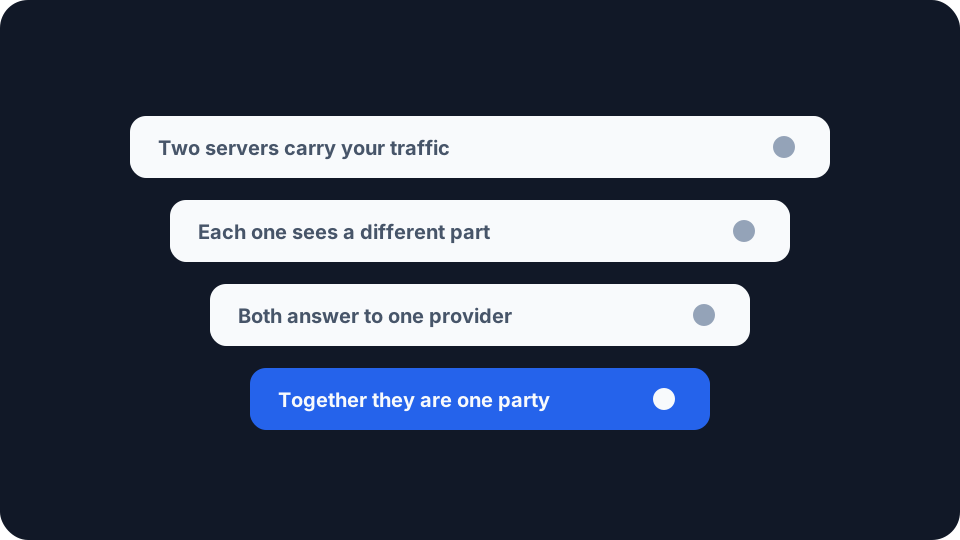
Somewhere in your VPN app there is a switch that sends your traffic through two of its servers instead of one. The second server is real and the extra wrapping is real. What the arrangement buys you turns on a question the switch does not put to you, which is who runs the second one.
What the feature does, step by step
NordVPN’s Double VPN is one such feature, and the company documents the path on its own feature page. “Double VPN routes your traffic through two VPN servers instead of one, encrypting your online traffic twice.” The steps are easy to follow. Your app encrypts traffic on the device and sends it to the first server. Then, in the page’s words, “The first VPN server decrypts your traffic, then encrypts it again and sends it to the second VPN server.” The second decrypts it and forwards it to the site. Replies come back along the same path in reverse.
Two things follow from that description without needing any interpretation at all.
The first server knows the address you connected from and not where you were going, because the only destination it is given is the second server. The second server knows where you were going and not the address you came from, because the only address it is given is the first server’s. The feature page states the second of those in a sentence: “As the first VPN server changes your actual IP address, the second server doesn’t have any information about you.”
That is a real property and it is worth granting plainly before taking anything apart. Remove one server and a single machine holds both of those facts at once.
The unit that counts is the operator
This is where the arithmetic goes astray. Dividing a fact between two machines helps when the two machines can fail, be broken into, or be compelled separately. Where one organisation racks both of them, configures both, bills you for both and receives any legal order that arrives for either, the pair behaves as a single party no matter how many times your traffic is wrapped on the way through.
The vendor’s own documentation draws that line itself, while distinguishing the feature from the general technique. “Double VPN operates on the same principle as VPN chaining,” the page says, “but VPN chaining can involve more than two VPN servers that do not necessarily belong to the same VPN provider.” The variable singled out in that sentence is ownership rather than count, and on the product as sold the number of owners is one.
The same passage then offers a comparison worth reading closely: “Double encryption with a trusted VPN provider can be just as safe as manual VPN chaining.” The qualifier is doing the work. The claim holds on the condition that the provider is trustworthy, which is the exact assumption a chain across unrelated operators exists in order to avoid needing. So the choice is between a design that depends on one company behaving and a design built so that it does not have to. Weighing up the first is its own exercise, and what a logging promise is worth goes through the evidence you can get for one. For the wider version of the same problem, the same question put against Tor takes the two shapes apart.
A two-hop design built the other way round
A two-hop system built with the two hops in different hands shows which part of the design is load-bearing.
Apple’s iCloud Private Relay sends Safari traffic through two relays, and its own overview document names the property in terms: “Apple has engineered an innovative dual-hop architecture in which users’ requests are sent through two separate internet relays operated by different entities.” The split is then spelled out. “The software for the first internet relay is operated by Apple in locations around the world”, and that relay sees your original address while the names of the sites you ask for are encrypted from it. “The second internet relay is operated by third-party partners who are some of the largest content delivery networks (CDNs) in the world”, and that one decrypts the name and completes the connection, having “no knowledge of the user’s original IP address”.
The document draws the conclusion under a heading comparing the design to a VPN: the “dual-hop architecture ensures no single party has access to both the user’s IP address and the details of their browsing activity.”
Now look at what sits beside that in the same document. The service covers browsing in Safari and unencrypted app traffic rather than everything the device sends, and it “does not provide any methods to spoof location or circumvent regional content restrictions”. So one document records two things side by side: the two relays sit with different companies, and the service will not let you appear to be somewhere else. Those are the terms this arrangement comes on, and they are not the terms a VPN comes on. Take it as a comparison rather than a recommendation. What it shows is that two hops can be arranged so that no single company is positioned to put the halves back together, and that doing so makes a different product rather than a different setting.
What the second hop costs you
The provider concedes the cost in the same passage that recommends stopping at two rather than chaining further: “In practice, every additional server beyond the first hop drastically cuts down your connection speed without a proportionately large increase to your online security.”
Its guidance elsewhere on the page lists maximum speed among the situations where the feature is not called for, on the grounds that routing through two servers makes “the overall journey longer”, which “can cause problems if you’re doing something that is affected by latency”. That is the honest shape of it. You are adding a leg to the journey, and the leg has to be paid for. Where the bill arrives larger than you expected, the list of suspects for lost speed works through them in order, and an extra leg is one entry on that list rather than the whole of it.
The check cannot see the thing you want checked
Our own VPN check looks at the same connection twice, once before you connect and once after. The page names what it puts side by side: the visible address, the ISP or organisation behind it, the approximate location, and whether that address carries a VPN, proxy or Tor signal. On a double hop every one of those moves, in precisely the way it moves on a single hop.
The page is clear about what that result is worth. Asked on its own FAQ whether a detected VPN means you are private, it answers: “No. VPN detection only means your visible IP has a VPN or proxy signal.” The number of servers behind the address is not among the things it can report, and none of the signals this page reads would separate one hop from two. Our own check on what a site is shown settles whether the tunnel has your traffic at all, which is worth settling on its own account, and that is where it stops.
The same boundary applies to the second check. Whether the address you leave from carries a flag reports what reputation data makes of it: VPN use, proxy use, a datacentre or hosting allocation, a Tor exit, and a history of abuse reports attached to the address. The hop count is invisible to that data as well. Where a flag is making your day difficult, the page’s practical suggestion is the ordinary one, that “switching to a different server or provider with a cleaner reputation can help”, and a double-hop server is as subject to that as any other.
When it is worth switching on
The feature page names the cases it puts this forward for, and they are narrow: reporting on events, protecting sources, and connecting from somewhere the network itself is the hazard. It is equally direct that for “everyday browsing”, “a standard VPN connection is more than enough”.
The deciding question is not how many servers are involved but whether the thing you would rather not be read by can get to the company.
A second server raises the cost for anyone working from one machine. A server that has been broken into, or a network operator watching a single leg of the route, comes away holding half a story instead of the whole of it, and half is a great deal less useful.
It raises nothing for anyone who can approach the provider. A request put to the company reaches both machines in one go, because both are its machines, and that is the case the feature sounds as though it answers.
Nothing else about your connection moves either way. The route changes; the account you are signed in to and the browser you are signed in from do not.
So the hop count is the figure the interface puts in front of you, and on its own it tells you very little. The number worth knowing is how many separate organisations your traffic has to cross before anyone can put the two halves back together, and where the feature is a switch inside a single app, that number is one.