Why Your VPN Is Slow: How to Find the Real Bottleneck
VPN
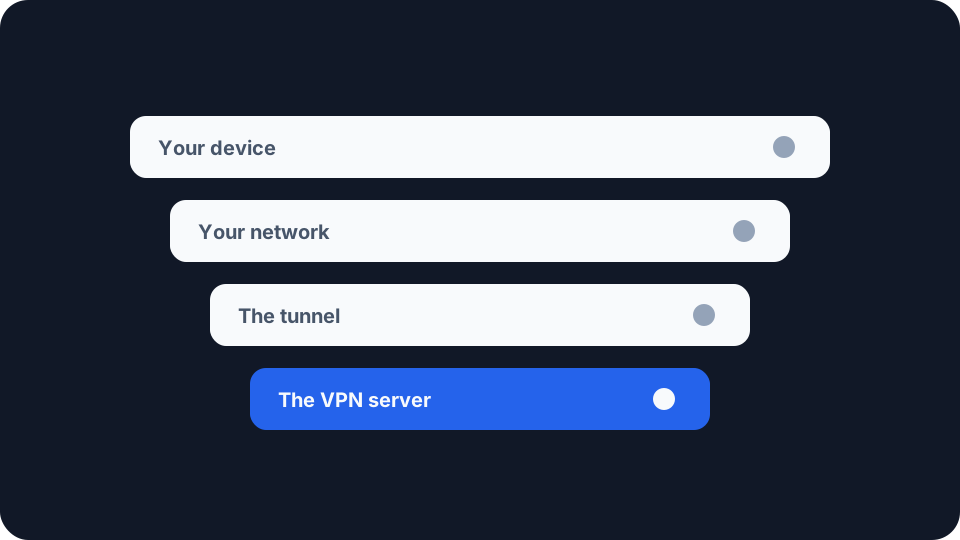
You connect to the VPN and everything gets heavier. Pages hesitate, downloads settle well below what the line can do, and the obvious suspect is the encryption.
It is almost never the encryption. A tunnel does cost you something, but that cost is small and predictable, and when someone loses half their speed it is nearly always one of a handful of other things. Each has a different fix, and only one is worth changing provider over.
Measure the gap before you try to close it
You need two numbers taken under the same conditions, or you are guessing.
Run the test without the tunnel first. Use a cable if you have one, close anything else using the connection, and note ping, jitter, download and upload from our speed test. Then connect the VPN and run exactly the same test again. Everything that is not the VPN must stay identical, because a speed test measures the weakest link in a long chain and most of that chain is yours.
Confirm the tunnel is actually up before you trust the second number. It is easy to test a connection you believe is protected and is not, giving two readings of the same thing. Our VPN check compares your visible address and ISP before and after.
Then look at latency separately from throughput. A ping test with the tunnel up tells you roughly how far away the server is, which turns out to be the most useful number in the whole exercise.
The tunnel’s fixed cost is real, and it is small
Every packet you send gets wrapped before it leaves: an outer header to carry it to the VPN server, the tunnel’s own header, and an authentication tag proving the contents were not altered. That is capacity spent carrying the tunnel rather than your data. It comes to a few percent, and it is the only part of the loss you cannot fix.
The encryption itself is rarely the limit. WireGuard’s own known limitations page lists hardware crypto support as a weakness and then explains why it does not matter in practice: the cipher it uses is “extremely fast in software on virtually all general purpose CPUs”, and the vector instructions modern processors provide “wind up being in the same ballpark (and sometimes even faster) than AES-NI instructions”. A phone or laptop made in the last decade will saturate a domestic line without noticing the crypto.
So if your download figure has halved, stop looking at the algorithm. Something structural is in the way.
Distance costs more than the ping figure suggests
The extra latency is obvious. Your traffic goes to the VPN server first and then on to wherever it was headed, so the round trip grows by however far away that server sits. Less obvious is that the added delay also caps how fast a single transfer can run, whatever bandwidth either end has. Those are two different quantities with two different definitions, and latency, bandwidth and throughput sets out which is which.
RFC 7323, the standard that defines TCP’s window scaling option, opens by naming the problem: “TCP performance problems arise when the bandwidth * delay product is large.” A connection can only have so much unacknowledged data in flight at once. Multiply your line speed by the round trip and you get how much must be in the air continuously to keep that line busy. On a short path that is a modest amount. On a long one it is not.
Window scaling raised that ceiling decades ago and every modern stack implements it, so it is rarely a hard wall now. The shape survives, though. A longer round trip means more data must be in flight for the same throughput, congestion control takes longer to settle, and loss costs far more because every recovery takes a full round trip. The same RFC is blunt about that: “Packet losses in an LFN can have a catastrophic effect on throughput”, LFN being its term for a long path carrying a lot of bandwidth.
A server in your own city and one three countries away are not the same product, and the gap between them is usually far larger than the gap between any two protocols. Your provider will say the same. NordVPN’s guidance on picking a server is to connect to one “that is closest to your actual location and is less loaded with traffic”.
The server at the other end is shared
That second half of the advice is the next thing to check. A VPN server carries a great many people at once and divides its capacity among them, which is why most consumer apps show a load figure beside each location.
Switching to a different server in the same city is the cheapest diagnostic you have. It takes ten seconds and changes one variable. If the result moves substantially, you were on a busy machine and nothing is wrong with your line, device or settings. If it barely moves, you have ruled out the whole category.
When big transfers stall but small ones work, suspect MTU
This one is worth knowing because it does not feel like slowness. It feels like the internet is broken in patches. A page’s text arrives and its images hang. A file transfer starts and dies at a few kilobytes.
The cause is packet size. Every link on a path carries a maximum, and as RFC 8900 puts it, “for any given path, the PMTU is equal to the smallest of its link MTUs”. Wrapping traffic in a tunnel makes every packet bigger, so packets that fitted comfortably before may now be too large for some link along the way. RFC 4459 treats this as a hard question for tunnels: how does the sender pick a size that will fit “even encapsulated, in the smallest Maximum Transmission Unit (MTU) of the traversed path”.
There are two ways it goes wrong. The oversized packet gets split up, which RFC 4459 notes “causes overhead” and “require[s] computation” at both ends. Or it gets dropped, and a message is meant to travel back telling the sender to use something smaller. That message frequently never arrives, because firewalls and middleboxes routinely discard it, and RFC 4459 says there is “ample evidence” the discovery process is “far from reliable” on IPv4 as a result. RFC 8900, a Best Current Practice rather than an opinion, names the consequence: fragmented packets “may result in black holes”.
The fix is to lower the MTU in your VPN client. Most apps expose the setting, sometimes as a packet size or an automatic value you can override. WireGuard’s own tooling derives it “from the endpoint addresses or the system default route, which is usually a sane choice”, and lets you set it by hand when that is wrong for your path. Drop it in steps and retest rather than guessing.
TCP inside TCP
If your app is set to use OpenVPN over TCP, that alone can explain a slow, stuttering connection, and the people who build it document the problem. OpenVPN’s own FAQ describes it directly: “TCP Meltdown occurs when TCP traffic is tunneled over TCP, causing performance issues due to overcompensating retransmissions. Use UDP for the tunnel to avoid this issue.” Their guidance elsewhere is that the software “uses UDP for optimal performance but supports TCP for compatibility with restrictive networks”.
The reason is two reliability mechanisms fighting. Your browser’s connection already retransmits anything that goes missing. Put that inside a tunnel that also retransmits and one lost packet triggers recovery at both layers, each unaware of the other. WireGuard declines to offer the option at all, citing “the classically terrible network performance of tunneling TCP-over-TCP”.
Set the protocol back to UDP unless a restrictive network is forcing your hand. TCP mode exists to get a tunnel through a firewall that permits nothing else, a real use, but it is a fallback rather than a default. For what else changes between protocols, the three in common use differ in more than speed.
Where the processor genuinely matters
Having said the encryption is cheap, there is one place it is not. A router running the VPN for the whole house does the crypto for every device on a processor built to a very different budget from your laptop’s, which is why a household often gets slower the day someone sets up a whole-home tunnel. Older streaming boxes and low-power always-on devices hit the same wall.
Test it by connecting one device directly. Same server, same moment, the provider’s app on a phone against the router tunnel. If the single device is dramatically faster, the router is the constraint and no amount of server-switching will fix it.
Working through it in order
Measure both ways first, because without a baseline every change is superstition. Move closer, since server distance is the largest single factor available to you. Change server within the same city to rule out a crowded machine. Check the protocol is on UDP, overriding that only when a network blocks it. Lower the MTU if big transfers stall while small ones sail through. Consider routing only what needs the tunnel when one application is the problem, remembering that whatever you exclude gets none of the VPN’s protection.
Work down that list and the answer is usually in the first two steps, because distance and a crowded server account for most of it. If you reach the bottom with the loss still far above a few percent, your provider’s capacity near you is not good enough, and that is a reason to change provider rather than to keep changing settings.