Latency, Bandwidth and Throughput Are Not the Same Thing
Technical
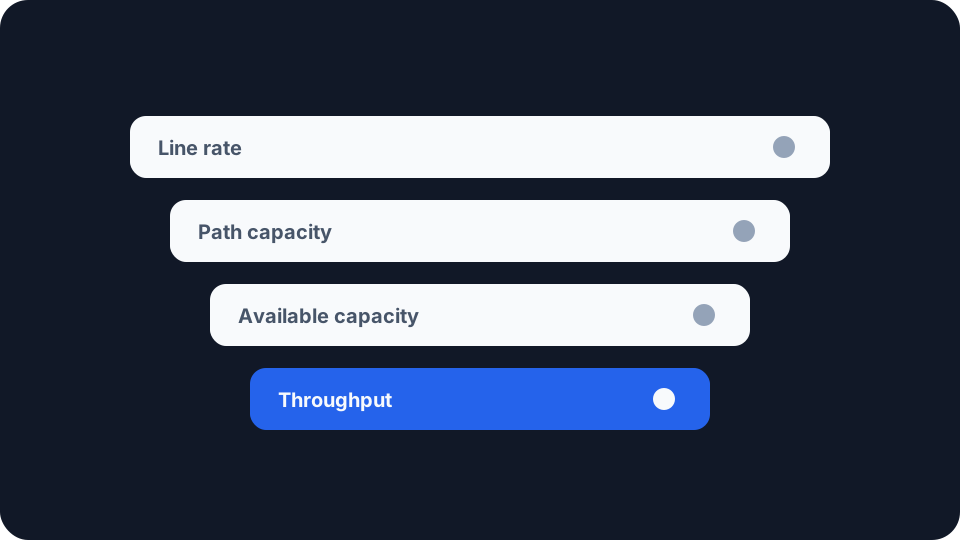
Three numbers get treated as one. The figure on your bill, the figure a speed test hands back, and the figure that decides how responsive everything feels are separate quantities, measured in different places, and they can disagree with each other while all three are correct.
The words for them are borrowed so loosely that the IETF has published documents whose entire purpose is to separate them again. Sorting them out is worth twenty minutes, because an argument about a slow connection is easier to settle once everyone agrees which number they meant.
Bandwidth is a property of the path, not of you
RFC 5136, published in 2008, is the IETF’s attempt to pin down what capacity means. It opens by admitting that measuring it “sounds simple, but in reality can be quite complex”, then gives an example that does most of the work.
Ask three people for the bandwidth of the same 802.11b link: “a network engineer will likely answer with 11 Mbit/s. However, an electrical engineer may answer with 25 MHz, and an end user may tell you that his observed bandwidth is 8 Mbit/s.” One link, nobody lying. The authors conclude that the literature “overloads the term ‘bandwidth’”, and that capacity “is not quite as overloaded and is an appropriate term that better reflects what is actually being measured”.
The first thing a capacity figure needs is a layer. The document is blunt about it: “capacity is only meaningful when defined relative to a given protocol layer in the network. It is meaningless to speak of ‘link’ capacity without qualifying exactly what is meant.” The number you were sold is the nominal physical link capacity, “the theoretical maximum amount of data that the link L can support”, measured at the physical layer rather than at the IP layer. The layers above see less of it, because each spends some of that capacity on coding and framing rather than on your data. It is an upper bound, and that is all it claims to be.
The second thing is that a path has one capacity and it belongs to the worst link in it. RFC 5136 defines path capacity as that “of the link with the smallest capacity along that path”. Your line is one link in a long chain, so it sets the ceiling only when nothing else in the chain sits lower.
Latency is a different axis, not a smaller number
Latency is delay: how long the first bit takes to arrive. It is independent of capacity, which is why a fast line can feel sluggish and a modest one immediate. It has its own thresholds, and what counts as a good ping covers them along with jitter and packet loss, which matter more than raw delay for anything real-time.
It is overloaded too. RFC 1242 defines latency for a single device as the interval from the last bit of a frame arriving at the input to the first bit leaving the output. That is a sensible measurement for a switch on a bench, and it is not the round-trip figure a ping test reports. Same word, different quantity.
Throughput is what one transfer actually got
This is the term with the tightest definition and the loosest everyday use.
RFC 3148, from 2001, defines Bulk Transport Capacity as “a measure of a network’s ability to transfer significant quantities of data with a single congestion-aware transport connection”, and gives the arithmetic plainly: BTC = data_sent / elapsed_time. Two restrictions inside that formula matter. The data counted is the unique data bits only, “not including header bits or emulated header bits”, so the addressing and error checking are excluded rather than credited. And anything retransmitted “should be counted only once”, so the network’s second attempt at a lost packet earns you nothing.
That describes a result, not a capability. Capacity is what the path could carry. Throughput is what one connection did carry over a stated interval, with everything that went wrong already priced in. The authors scope its importance carefully: for many applications, they say, this is the figure that “dominates the overall elapsed time for the application to run and thus dominates the performance as perceived by a user”.
The number that moves is available capacity
Between the ceiling and the result sits one more quantity, and it is the one that changes while you watch.
RFC 5136 measures how much of a link is already in use, calls that utilisation, and defines available capacity as the capacity multiplied by whatever is left over, which in its own notation is AvailCap = C x (1 - Util), each term scoped to a time and an interval. Available path capacity is then that “of the link with the smallest available capacity along that path”.
Put that beside the earlier path definition, because they are not describing the same link. The document names both: “The link with the smallest capacity is commonly referred to as the ‘narrow link’ of a path. Also, the link with the smallest available capacity is often referred to as the ‘tight link’ within a path.” A link can “have a very large capacity” and still be what holds you up, because “the overall congestion level on the link makes it the likely bottleneck of a connection”. And the narrow link “may not be the bottleneck should it be lightly loaded in relation to the rest of the path”.
The narrowest link and the busiest link need not be the same link, which is why a result can shift through the evening while nothing in your house changes. You are not necessarily sampling your own line. You are sampling whichever link on the path has least room to spare at that moment, and which link that is does not stay put. The document is firm that available capacity is more volatile than link capacity, so the time and the interval have “a great deal of influence on the results”.
More capacity does not reliably mean more throughput
RFC 3148 records something genuinely awkward about the relationship between the two.
“There is also evidence that most TCP implementations exhibit non-linear performance over some portion of their operating region. It is possible to construct simple simulation examples where incremental improvements to a path (such as raising the link data rate) results in lower overall TCP throughput (or BTC).”
Read what that claims and what it does not. Such cases can be constructed in simulation, which is not a statement that upgrades usually backfire. The authors believe the effect “reflects weakness in our current understanding of congestion control” and say it is “present to some extent in all TCP implementations and BTC metrics”. And why it matters outside a lab: the non-linearity is “potentially problematic in the market because investment in capacity might actually reduce the perceived quality of the network”.
The everyday version is milder. A longer round trip means more data has to be in flight at once to keep a link busy, so distance holds a single transfer down whatever both ends are paying for. That mechanism, and the handful of things worth changing when you meet it, belong to why your VPN is slow, where the path gets longer on purpose.
Throughput does not mean one thing either
RFC 1242, from 1991, exists to stop network hardware vendors quoting numbers nobody could compare, and it gives throughput a one-line definition: “The maximum rate at which none of the offered frames are dropped by the device.” That is a zero-loss threshold for one device under test, not a long-run average for a transfer crossing the internet. Both are standard in their own document, and they will hand you different figures for the same equipment.
Its stated reason for existing has aged well. “Vendors often engage in ‘specsmanship’ in an attempt to give their products a better position in the marketplace. This usually involves much ‘smoke & mirrors’ used to confuse the user.” Thirty-five years later the confusion has moved from switch datasheets to broadband advertising, and the remedy has not changed: ask which definition produced the number.
What the figure on your screen is
A speed test moves data between your device and one server for a few seconds and reports the rate it achieved. That is throughput in the bulk transport sense, over a short interval, on one path, at one moment.
It is worth being exact about what it is not. RFC 5136 compares its own capacity definitions against bulk transfer measurement directly and concludes that a measurement of the second “does not correspond to any of the definitions in this document”, because it counts only unique application data and runs over a single connection that answers loss by slowing down. Both are useful, the authors say, “but from different perspectives”. So the number on your screen is not your line’s capacity, and it is not the path’s available capacity either. It is the outcome of one transfer that had to cope with both.
Our speed test reports download and upload alongside ping and jitter, which is the more useful pairing, because the two halves answer different questions.
If your figure sits well below what you pay for, that is the diagnostic question rather than the definitional one, and why your speed test disagrees with your ISP works through the causes in order. What the definitions give you is the part that comes first: knowing which quantity you are holding, so that you can tell the gap that is arithmetic from the gap that is a fault.