Router Security Starts With the Box, Not the WiFi Password
Security
There is a box in your house that every other device on your network takes on trust. It has a web page for changing how it behaves, and what is set there applies to every device behind it at once.
Some of those settings carry real weight and some are decoration. And one thing that is not a setting at all decides whether any of it will still be true in two years.
Two passwords, doing two different jobs
Your router has a WiFi passphrase, which lets a device join the network, and an administrator password, which lets whoever holds it change what the network does. Separate credentials for separate jobs, and the second one is the subject here.
Reaching the page that asks for it is undramatic. The router’s address on your own network is the same one your device already lists as its default gateway, and putting that address in the browser bar brings up the box’s own administration interface rather than sending anything out to the internet. What that address is actually for covers why your own address and the router’s look so alike.
What the password is allowed to be has stopped being a matter of opinion in the UK. The Product Security and Telecommunications Infrastructure (Security Requirements for Relevant Connectable Products) Regulations 2023 came into force on 29 April 2024, and Schedule 1 sets out what manufacturers of consumer connectable products have to do. On passwords it gives them two options. A password must be “unique per product”, or “defined by the user of the product”. A single default shared across every unit of a model is not among the choices.
The Regulations are specific about what unique is not permitted to mean. A per-product password must not be “based on or derived from publicly available information”, and must not come from an incremental counter, which the document defines as a scheme where multiple passwords “are the same save for a small amount of characters which change per password to make them unique”.
The age of the box therefore tells you what to expect. A router supplied before that date may carry a default that is identical across the model, and that is where changing it is the most valuable thing on the page. A newer one should have a unique password on a printed label, which is a real improvement, and is still a password on a label in your hallway.
Remote management is the switch that changes who can try
A home router does not, by default, let the internet start conversations with the devices behind it. That falls out of how address translation works rather than from a decision anyone made about your safety, and where unsolicited traffic actually stops sets out which half of the router’s behaviour does the shielding.
The administration interface is a different case, because it sits on the router itself rather than behind it. Where a router offers a remote management option, switching it on makes that interface reachable from the public internet, so that support staff, or you, can log in from elsewhere. That is the setting that turns a problem confined to your hallway into one anyone can attempt.
You can check the outcome rather than trusting the switch. Our single-port test against your own address opens a TCP connection from our server to the public address you are browsing from, on whichever port you name, and reports what happened. Its limits decide what a result proves, so they are worth stating. It reaches only the address you arrived on, by design, so it cannot be aimed at anybody else. It covers one port per run, and an interface can be served on a number you did not think to try. A closed result is not conclusive either, because where your provider puts another layer of translation above you, nothing could have answered whatever the setting said. And the tool reports a third outcome, blocked, which tells you the check could not run rather than anything about the port. A port that answers when you expected silence is the informative result.
While you are on the subject of inbound access, the other thing that opens ports without anyone choosing to is UPnP. It exists so that software can arrange its own forwarding rule without a person involved, and nothing checks whether it should be allowed to. The full picture on open ports handles that one, including the government guidance on it and the trade-off in switching it off at home.
Somebody else decides how long the box stays fixable
Here is the thing that is not a setting. Firmware is the router’s own software, and you do not write it. Everything above assumes that when a flaw is found in it, a fix arrives. That assumption has an expiry date, and in the UK that date now has to be published.
The same Regulations define a defined support period as “the minimum length of time, expressed as a period of time with an end date, for which security updates will be provided”. Schedule 1 then states the duty in a single sentence: “The defined support period must be published.” Not on request. The information has to be accessible, clear and transparent, free of charge, available without anyone asking for it, and written “in such a way that is understandable by a reader without prior technical knowledge”. If a manufacturer extends the period, the new one has to be published too, and the requirement is not met if a published period is later shortened.
So there is something to look up before you touch a single toggle. Find the model number, find the manufacturer’s published support period, and hold its end date against today’s. A router past that date has no committed fix waiting for the next flaw found in it, and nothing on the administration page changes that. The answer in that case is a different box, which is an irritating conclusion and the honest one.
If the router arrived from your internet provider rather than from a shop, the provider is the party publishing that period and pushing the updates, so its support pages are where to look. Where the company’s name is not obvious, on a line inherited with a house or one that has changed hands, our IP lookup reports the network owner behind an address, with the caveat printed on the page that mobile and corporate networks can come back broad or generic.
The WiFi setting worth confirming rather than changing
The wireless side has protection of its own, and on a recent box it is the part least likely to need anything from you.
Wi-Fi Alliance, which runs the Wi-Fi CERTIFIED programme, states on its own security pages that “WPA3 is mandatory for Wi-Fi CERTIFIED devices”. Its own list for such a network is short: use the latest security protocols, “Disallow outdated legacy protocols”, and require Protected Management Frames, which it describes as extending protection to management traffic rather than covering the data you send alone. It says those frames are “required for all new certified devices”. For home networks it claims one specific benefit, that WPA3-Personal users “receive increased protections from password guessing attempts”.
The check is quick. Open the wireless section, read which mode is selected, and pick WPA3 where the router offers it.
One exception runs the other way. If the wireless network is open, or the passphrase is something a stranger could guess, that comes before everything above. A network anyone can join puts the administration page within reach of whoever joined, and the rest of this stops helping.
The field that changes what your network asks
One more entry on that page is worth knowing about rather than worrying about. The router hands out resolver addresses along with everything else your devices receive when they join, so changing the resolver there changes it for every device at once, including the ones with no settings screen of their own. It does not conceal anything and it does not alter the address sites see. Pointing your whole network at a different resolver covers what that does and what it leaves alone.
Doing it in the right order
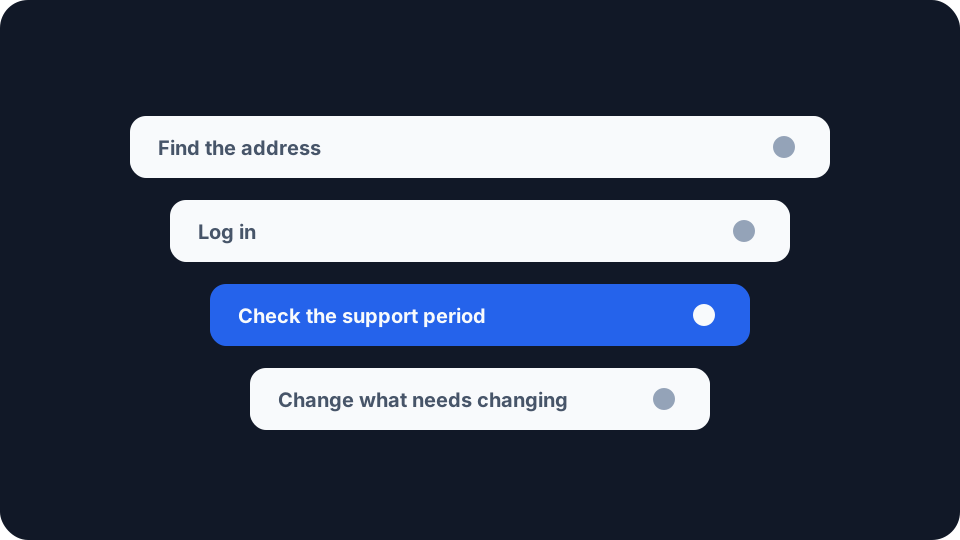
The order to work in is not the order these appear above. Start with the support period, because it decides whether the rest is worth your evening. Then the administrator password. Then remote management, if the router offers it. Then the wireless mode, unless the network is currently open or its passphrase is guessable, in which case that moves to the front and everything else follows it. The first item is the one you cannot fix by trying harder, and each of the others is one control on the administration interface.
What you are protecting is narrower than the phrase “home network security” suggests and more specific than a feeling. It is one box that the rest of the house connects through, which sits on the public internet at one end, and whose software is maintained by somebody else for a period they are now required to tell you about.