A Phone's IP Address Changes With the Connection, Not the Tower
Networking
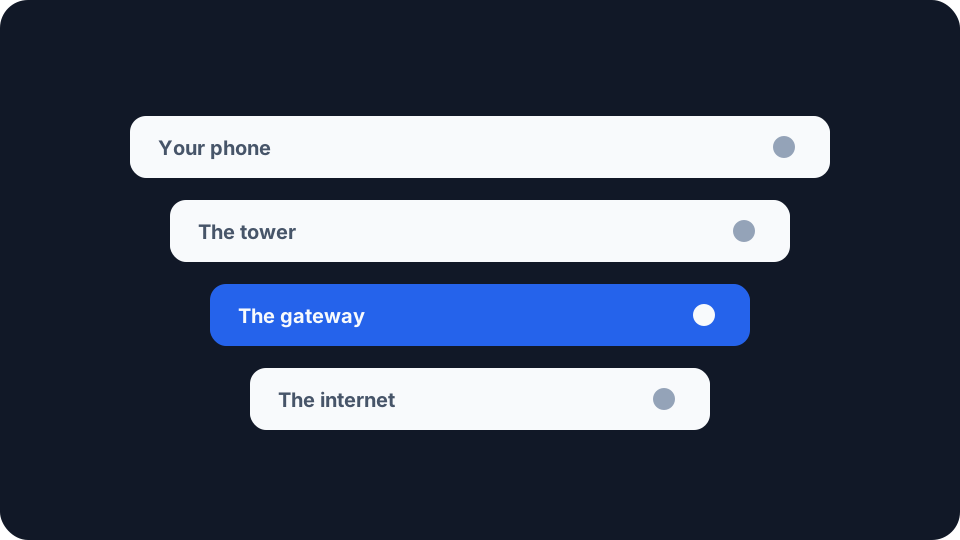
You have not left the building, you have not touched a setting, and the address your phone reports is not the one it reported an hour ago. On home broadband that would be odd enough to look into. On a phone it is ordinary, and the reason has very little to do with where you were standing.
The address does not live in the tower
The intuitive model is that the address follows the handset. Walk far enough, attach to a different tower, collect a different address. The standards describe something else entirely.
RFC 6459, published in January 2012, is an IETF description of the 3GPP packet system, and it names the thing that holds your address. A PDN connection, it says, is “an association between a UE represented by one IPv4 address and/or one /64 IPv6 prefix, and a PDN represented by an APN”. UE is your phone. APN names the network it is reaching. The address belongs to the association between the two.
Then the sentence that settles the question: “Each PDN connection has its own IP address/prefix assigned to it by the PDN and anchored in the corresponding gateway.” The same document describes that gateway as the “topological anchor for addresses/prefixes assigned to the User Equipment”.
Anchored is the operative word. Your handset talks to whichever tower has the best signal, and which one that is changes as you move. The address is held further back, at a gateway the operator runs, and the radio hop in front of it can be swapped out without the anchor going anywhere.
So the everyday framing of the question is slightly wrong. Movement is not what changes the address. Ending the association is.
One caveat, stated plainly. RFC 6459 uses the fourth-generation names for everything. The fifth-generation architecture calls the same roles by different names, and nothing here should be read as a claim about how any particular network is configured today.
What actually ends the association
Airplane mode, or turning mobile data off and back on. The clean case. The connection is torn down and a new one is set up, and the new one is given whatever address is free at that moment.
A restart. The same thing with more steps.
A long gap in coverage. A basement, a tunnel, a rural stretch of motorway. A short drop can be recovered with the connection intact. A long one can end it, and what comes back afterwards is a fresh one.
Attaching to a different operator. Roaming, or a dual-SIM phone moving traffic to the other SIM. The address is allocated by the network your phone is attached to, and that network now belongs to somebody else.
The operator’s own housekeeping. RFC 6459 places the assignment with the gateway rather than with your handset, which means the decision to keep it or change it is not one your phone gets to make. Equipment is maintained, replaced and rebalanced, and nothing on the screen will tell you when it happened.
Walking in range of a saved WiFi network. This one is not a mobile-network event at all. Two networks, two addresses, and a phone that recognises a network it has joined before will swap between them without asking you first. If the address changed while you were at home or in a café, start here before anything else.
The address your phone shows and the address a site sees are two different numbers
RFC 6459 explains why. Globally routable IPv4 addresses are in short supply, so operators tend to hand their subscribers private addresses, the same kind your router gives your laptop. It works the arithmetic through as well: roughly 16 million handsets can hold a private address that is unique inside one operator’s domain, plenty of operators have more subscribers than that, so the addresses overlap and get rewritten upstream before anything leaves the operator’s network.
The consequence is a distinction worth holding on to, because it explains observations that otherwise look contradictory. Two different numbers can change, and they move independently.
The first is the address allocated to your connection, which is what your phone shows you in its own network settings. The second is the address a website records, which sits on the far side of the operator’s translation and is shared with other people. A new connection can hand you a new private address while the visible one stays exactly where it was, because the pool it translates into has not changed. Your slot in that pool can also move while your own address sits still.
That is why reading the number on the handset settles very little. The useful question is what a site actually sees, which is what your visible IP address reports. The wider consequences of sharing one, including the ones that have nothing to do with it changing, are the subject of CGNAT explained.
On WiFi it is a lease, and leases run out
Different mechanism, same symptom, and worth separating because the remedy is different.
On a WiFi network your phone is a DHCP client, and DHCP hands out addresses for a fixed period rather than permanently. RFC 2131 sets out what the mechanism promises: the allocation mechanism “guarantees not to reallocate that address within the requested time and attempts to return the same network address each time the client requests an address”. That is the promise behind the reasonable conclusion that an address is fixed.
The word attempts is carrying the weight. The same document sets out what happens when the attempt fails: “If the lease expires before the client can contact a DHCP server, the client must immediately discontinue use of the previous network address and may inform local users of the problem.”
A phone is precisely the device that triggers that sequence. It sleeps, it leaves the house for a day, it comes back. If the lease ran out while it was away and the router handed the address to something else in the meantime, what your phone gets on its return is a different one. This is the distinction home broadband calls static versus dynamic addressing, arriving through a different door.
The IPv6 part your phone generates for itself
Everything above is a connection ending, whether you ended it or the network did. There is one address on a modern phone that changes for neither reason, on a schedule of its own.
RFC 8981, published in February 2021 and obsoleting RFC 4941, specifies temporary IPv6 addresses. It describes an extension to autoconfiguration “that causes hosts to generate temporary addresses with randomized interface identifiers for each prefix advertised with autoconfiguration enabled”, and states the effect in the next sentence: “Changing addresses over time limits the window of time during which eavesdroppers and other information collectors may trivially perform address-based network-activity correlation when the same address is employed for multiple transactions by the same host.”
Its design goals include that temporary addresses “must have a limited lifetime”, so they are built to be replaced. Note which part of the address this touches. The prefix still comes from the network and is still anchored where RFC 6459 says it is. What rotates is the part your phone generates for itself. Whether yours is doing that, and whether you have a routable IPv6 address at all, is a single check on your IPv6 address.
What to check when it happens
Establish that it changed at all. Open what your IP reveals before and after whatever you think caused it. Looking only afterwards means comparing against a number you half remember.
Then establish whether the change means anything. Our IP lookup takes any public address and reports the organisation that controls the network, the ASN, and an approximate location. Run the old number and the new one through it. If both come back on the same operator, nothing about your network identity moved except the digits. Expect the location to be vague either way: the lookup page says plainly that mobile networks can return broad or generic results, and the My IP page lists a mobile carrier gateway among the things your location reading may actually be pointing at.
If it is a login that keeps dropping you. Work out which of the two numbers the service is watching. Anything reading the address a site sees is watching the number on the far side of the translation, which can move without you doing anything and can sit still while your handset’s own address changes underneath it.
The address a site sees is not a property of your phone. It is a property of the connection your phone currently holds, anchored at a gateway you will never see, and it lasts about as long as that connection does. The one part your phone genuinely owns is the tail of its IPv6 address. Which is why the question worth asking when the number changes is not where you were standing, but what happened to the connection.