DHCP: The Address Is a Lease, and Your Device Asks to Keep It
Networking
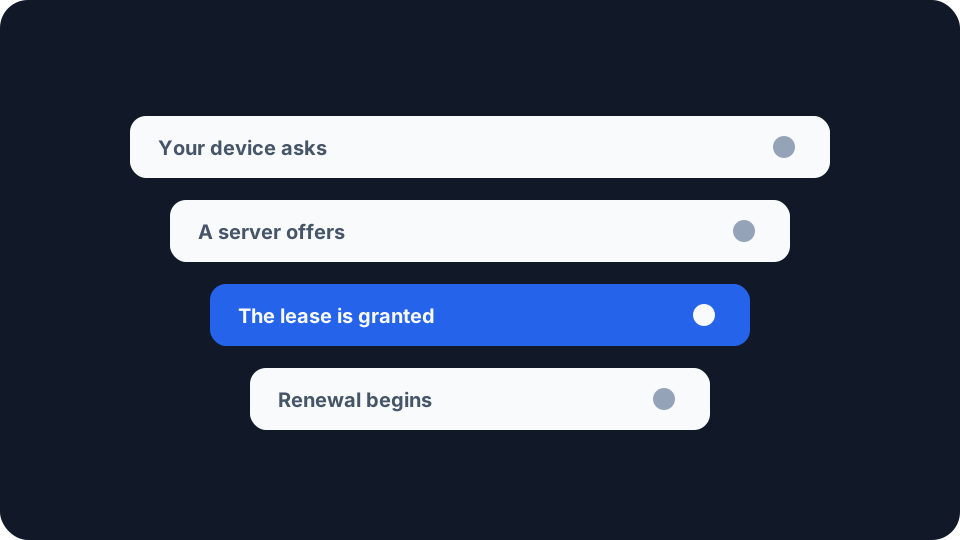
You join a network and a second later the device has an address, a way out, and somewhere to send its name lookups. Nobody typed any of it, and nothing on screen says where it came from.
What happened in that second is a short negotiation, written down in March 1997 as RFC 2131, and it runs on the box in your hallway every time something joins your network.
Four messages, and nothing is allocated until the last one
The normal exchange runs to four messages, and each one does a job the others cannot.
The first is a shout into the room. The client “broadcasts a DHCPDISCOVER message on its local physical subnet”, because it has no address yet, and so nothing to send a question from. The message may suggest values, including a lease duration, but it is asking rather than telling.
The second is a proposal, not a reservation. Any server that hears the discover may answer with an offer carrying an available address. RFC 2131 is careful about what that does not mean: “Servers need not reserve the offered network address, although the protocol will work more efficiently if the server avoids allocating the offered network address to another client.” More than one server can answer, and a client with two offers picks one.
The third is broadcast on purpose, and that is the clever part. Having chosen, the client does not reply quietly to the winner. It broadcasts its request to everyone, naming the server it picked. RFC 2131 explains what the losers do with it: “Those servers not selected by the DHCPREQUEST message use the message as notification that the client has declined that server’s offer.” One message accepts one offer and releases the rest.
The fourth is where it becomes real. The chosen server “commits the binding for the client to persistent storage and responds with a DHCPACK message containing the configuration parameters for the requesting client”. Until that arrives, nothing has been allocated to you.
Even then the client is expected to be suspicious. It “SHOULD perform a final check on the parameters (e.g., ARP for allocated network address)”, which means asking the local network whether anyone is already answering to that number. If somebody is, the client “MUST send a DHCPDECLINE message to the server and restarts the configuration process”, waiting at least ten seconds first, a pause the RFC asks for “to avoid excessive network traffic in case of looping”.
The server is not picking a number at random
It is tempting to picture DHCP dealing you an address off the top of the pack. It tries quite hard not to.
RFC 2131 sets out the order a server should work through when it receives a discover. First, the client’s current address as recorded in its current binding. Failing that, the client’s previous address from an expired or released binding, so long as that address is free. Failing that, whatever address the client asked for by name, if it is valid and unallocated. Only then does the server reach into its own pool of available addresses.
The first two are attempts to hand back exactly what you had, and the third honours whatever the client asked for by name. That ordering is deliberate, and it follows one of the protocol’s stated design goals: “A DHCP client should, whenever possible, be assigned the same configuration parameters (e.g., network address) in response to each request”. The stronger promise the allocation mechanism makes, and what happens when it cannot keep it, are covered in what actually changes a phone’s address.
What is being handed out on a home network is a private address, reserved for use behind a router rather than on the internet itself. Which ranges qualify, and which others are neither public nor private, is the subject of public and private IP addresses.
A device that remembers skips the first two steps
There is a shorter path, and a device that has been on the network before takes it.
“If a client remembers and wishes to reuse a previously allocated network address,” says RFC 2131, “a client may choose to omit some of the steps described in the previous section.” It broadcasts a request naming the address it wants, in the requested IP address option, and because it has not yet been given that address it must leave the client address field empty. A server that knows the client answers straight away with an acknowledgement. Two messages instead of four.
That is what a laptop waking from sleep is doing, and a router coming back from a power cut. It is also why an address that survives a restart is the protocol working rather than a coincidence.
The refusal case is the one worth knowing. A server should decline the request if it is invalid, the RFC’s example being a client that has moved to a new subnet. On receiving that refusal the client “cannot reuse its remembered network address” and starts again from the beginning. Carry a laptop from home to an office and that refusal is what stands between the address it remembered and the one it ends up with.
Two clocks start the moment the address is granted
A lease is not a countdown that runs out unnoticed. Two timers govern it, and on the default timings the second half of a lease is spent trying to renew.
“T1 is the time at which the client enters the RENEWING state and attempts to contact the server that originally issued the client’s network address.” The client sends its request directly to that server, and asks for more time. “T2 is the time at which the client enters the REBINDING state and attempts to contact any server,” this time by broadcast, because by then the original server has not answered and may be gone. The ordering is not optional: “T1 MUST be earlier than T2, which, in turn, MUST be earlier than the time at which the client’s lease will expire.”
The defaults put both a long way before the end. “T1 defaults to (0.5 * duration_of_lease). T2 defaults to (0.875 * duration_of_lease).” On a twenty-four hour lease, renewal begins at twelve hours and the broadcast fallback at twenty-one, leaving three hours of grace after that. A server can set both through options, so the fractions are a starting point rather than a rule.
There is one more instruction in that paragraph, and it is the kind of detail that only shows up at scale. Each value should carry a small random element around its fixed point, “to avoid synchronization of client reacquisition”. Without it, a building of devices that all reconnected after the same power cut would line up to renew together, and do it again at every renewal after that.
The address is only part of what arrives
The reply is not only a number. The same message can carry the rest of the configuration the device needs to be useful, including the subnet mask, the router to send outbound traffic to, and which name servers to ask. That last one is where a device’s DNS setting arrives from unless something overrides it, and changing your DNS resolver covers what overriding it does and does not move. The router named in that same reply becomes the device’s default gateway, and what a default gateway actually does follows a packet through the decision that sends it there.
Where you can see it on your own network
Two addresses, and DHCP only gave you one. Our My IP Address page reports the one a website records, and its own copy draws the line plainly: that public address “is different from the private address your router gives to devices inside your home network.” The private one is the lease. Open your device’s network settings alongside the page and you are looking at both ends of the arrangement at once.
The lease shows up as a fault long before anyone calls it one. Our port checker tests whether a port on your connection answers from outside, and its own troubleshooting list starts by telling you to confirm the forwarding rule points at the right internal address, “and that the device’s local IP hasn’t changed since you configured it”. That is what a lease expiring while a device was switched off looks like from the outside, with something else having taken the number in the meantime. The router is still forwarding perfectly, to nobody.
The fix has a name, and it is in your router. A reservation ties a particular device to a particular address in the server’s own records. RFC 2131 has had a name for this since 1997, manual allocation, where “a client’s IP address is assigned by the network administrator, and DHCP is used simply to convey the assigned address to the client”. Anything you forward a port to, a printer, a camera, a games console, is worth reserving before you write the rule rather than after it breaks.
None of this is visible while it is working, which is rather the point of it. But an address that arrived this way was never a possession. It is a booking with a start, a stop, and a device quietly asking for an extension halfway through. When something that depended on that number stops working, the booking that lapsed while nobody was watching is the first place to look.